Courier booking on every sale
Choose Steadfast or Pathao on the sale. When you save it as final, the order goes to the courier and the tracking code is saved with the sale.

POS software for shops, restaurants and online sellers
Expert POS runs billing, stock across branches, supplier purchases, customer dues, expenses and profit reports in one browser app, and books your Steadfast or Pathao courier the moment a sale is final.
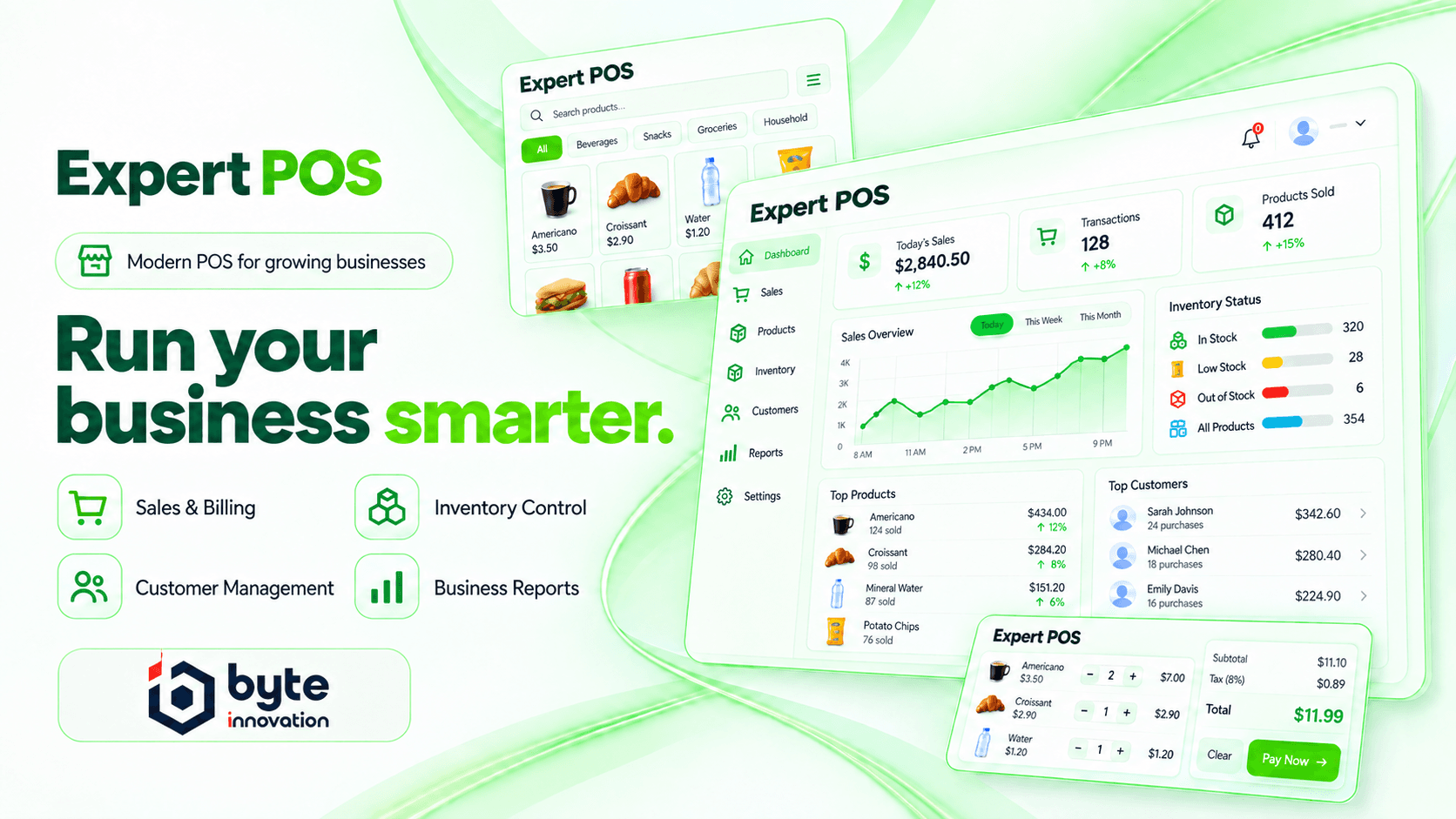
The features shop owners in Bangladesh use every day, in one system instead of five.
Choose Steadfast or Pathao on the sale. When you save it as final, the order goes to the courier and the tracking code is saved with the sale.
Scan barcodes, read weighing-scale labels, use your own keyboard shortcuts, split one bill across several payment methods and park a sale for later.
Each branch keeps its own stock, invoice layout, numbering and receipt printer. Move stock between branches and track each transfer.
Lot numbers, expiry dates, low-stock and expiry alerts, damage and loss adjustments, and FIFO or LIFO costing.
Payment accounts, balance sheet, trial balance, cash flow and profit and loss, with about 30 reports to export or print.
Product galleries and YouTube videos, plus a Facebook share link for each product with a proper preview card.
One loop that Expert POS keeps in step, so stock and money always match.
Record the purchase, lot numbers and expiry dates, and pay the supplier in full or in part.
Print barcode labels on your own label sheets, with a preview first.
Ring up sales at the counter or enter phone and online orders on the full sale form.
Book Steadfast or Pathao on the sale and follow the shipment status.
See sales, dues and expenses on the dashboard, then profit by product, branch or customer.
Switch modules on or off for each business, so staff only see what you use.
The tools in the code are built for these businesses.
Barcode scanning, weighing-scale labels, stock alerts and quick checkout.
Sizes and colours as variations, reusable variation templates and price groups.
Tables, modifiers, a kitchen screen, waiter orders and bookings.
Courier booking, shipment tracking and Facebook share links for products.
Expiry dates, lot numbers and an option to stop selling before an item expires.
Stock per branch, transfers and permissions limited to chosen branches.
Short answers to what businesses ask before a demo.
Yes. Each branch keeps its own stock, invoice layout, invoice numbering and receipt printer, and you can transfer stock between branches and track each transfer.
Yes, with Steadfast and Pathao. Choose the courier on the sale. When you save the sale as final, the order is booked with the courier and the tracking code is saved.
Standard barcode scanners, weighing-scale barcodes and barcode label sheets. Receipts print from the browser or a network, Windows or Linux printer, in 80 mm or 58 mm thermal layouts or on A4.
Yes. You create roles and tick each permission, limit a role to certain branches, hide purchase prices and show staff only their own sales.
Yes. Import products, opening stock, contacts and price groups from Excel or CSV.
You can record them. Rename the custom payment methods to bKash or Nagad and reports show each one separately. Expert POS records payments; it does not process them.
No. Expert POS runs in a web browser on a computer, tablet or phone, and needs an internet connection.
Book a demo and we will walk you through a sale, a courier booking and your profit report.